Angularの構文、慣習、およびアプリケーション構造に関する意見のあるガイドを探していますか? さあ、中へどうぞ。 このスタイルガイドでは、推奨される慣習、そして同様に重要なこととして、その理由について説明します。
スタイル用語
各ガイドラインは、良い慣行または悪い慣行のいずれかを説明し、すべて一貫した形式で提示されます。
各ガイドラインの表現は、推奨の強さを示しています。
Do は、常に従うべきものです。 常に は少し強すぎる言葉かもしれません。 文字通り常に従うべきガイドラインは非常にまれです。 一方、Do ガイドラインを破るための非常に珍しいケースが必要になります。
Consider ガイドラインは、一般的に従うべきです。 ガイドラインの背後にある意味を完全に理解しており、逸脱する正当な理由がある場合は、そうしてください。 一貫性を目指しましょう。
Avoid は、ほとんど決して行うべきではないことを示しています。 避けるべき コード例には、見間違えようのない赤いヘッダーが付いています。
Why?
前の推奨に従う理由を示します。
ファイル構造の慣習
いくつかのコード例には、1つ以上の類似の名前の付いた付属ファイルを持つファイルが表示されています。
たとえば、hero.component.ts と hero.component.html です。
このガイドラインでは、これらのさまざまなファイルを表現するために、hero.component.ts|html|css|spec という省略記法を使用します。
このショートカットを使用することで、このガイドのファイル構造は読みやすく、簡潔になります。
単一責任
単一責任の原則 (SRP) をすべてのコンポーネント、サービス、およびその他のシンボルに適用します。 これにより、アプリケーションがよりクリーンになり、読みやすく保守しやすくテストしやすくなります。
ルール・オブ・ワン
スタイル 01-01
Do ファイルごとに、サービスやコンポーネントなど、1つのものだけを定義します。
Consider ファイルを400行のコードに制限します。
Why?
ファイルごとに1つのコンポーネントにすることで、読みやすく、保守しやすく、ソース管理でチームとの衝突を回避できます。
Why?
ファイルごとに1つのコンポーネントにすることで、コンポーネントを1つのファイルにまとめた場合に発生する可能性のある変数を共有したり、不要なクロージャや依存関係との不要な結合を作成したりする隠れたバグを回避できます。
Why?
単一のコンポーネントは、そのファイルのデフォルトのエクスポートにでき、これによりルーターを使用した遅延ロードが容易になります。
重要なのは、コードをより再利用可能にし、読みやすく、エラーが発生しにくくすることです。
次のネガティブな例では AppComponent を定義し、アプリケーションをブートストラップし、
Hero モデルオブジェクトを定義し、すべて同じファイルでサーバーからヒーローを読み込んでいます。
これは行わないでください。
app/heroes/hero.component.ts
/* avoid */import {Component, NgModule, OnInit} from '@angular/core';import {BrowserModule} from '@angular/platform-browser';import {platformBrowserDynamic} from '@angular/platform-browser-dynamic';interface Hero { id: number; name: string;}@Component({ selector: 'app-root', template: ` <h1>{{title}}</h1> <pre>{{heroes | json}}</pre> `, styleUrls: ['../app.component.css'],})export class AppComponent implements OnInit { title = 'Tour of Heroes'; heroes: Hero[] = []; ngOnInit() { getHeroes().then((heroes) => (this.heroes = heroes)); }}@NgModule({ imports: [BrowserModule], declarations: [AppComponent], exports: [AppComponent], bootstrap: [AppComponent],})export class AppModule {}platformBrowserDynamic().bootstrapModule(AppModule);const HEROES: Hero[] = [ {id: 1, name: 'Bombasto'}, {id: 2, name: 'Tornado'}, {id: 3, name: 'Magneta'},];function getHeroes(): Promise<Hero[]> { return Promise.resolve(HEROES); // TODO: get hero data from the server;}
コンポーネントとそのサポートするクラスを、 それぞれ専用のファイルに歳配置することをお勧めします。
main.ts
import {platformBrowserDynamic} from '@angular/platform-browser-dynamic';import {AppModule} from './app/app.module';platformBrowserDynamic().bootstrapModule(AppModule);
app/app.module.ts
import {NgModule} from '@angular/core';import {BrowserModule} from '@angular/platform-browser';import {RouterModule} from '@angular/router';import {AppComponent} from './app.component';import {HeroesComponent} from './heroes/heroes.component';@NgModule({ imports: [ BrowserModule, RouterModule.forChild([{path: '01-01', component: AppComponent}]), ], declarations: [AppComponent, HeroesComponent], exports: [AppComponent], bootstrap: [AppComponent],})export class AppModule {}
app/app.component.ts
import {Component} from '@angular/core';import {HeroService} from './heroes';@Component({ selector: 'toh-app', template: ` <toh-heroes></toh-heroes> `, styleUrls: ['./app.component.css'], providers: [HeroService],})export class AppComponent {}
app/heroes/heroes.component.ts
import {Component, OnInit} from '@angular/core';import {Hero, HeroService} from './shared';@Component({ selector: 'toh-heroes', template: ` <pre>{{heroes | json}}</pre> `,})export class HeroesComponent implements OnInit { heroes: Hero[] = []; constructor(private heroService: HeroService) {} ngOnInit() { this.heroService.getHeroes().then((heroes) => (this.heroes = heroes)); }}
app/heroes/shared/hero.service.ts
import {Injectable} from '@angular/core';import {HEROES} from './mock-heroes';@Injectable()export class HeroService { getHeroes() { return Promise.resolve(HEROES); }}
app/heroes/shared/hero.model.ts
export interface Hero { id: number; name: string;}
app/heroes/shared/mock-heroes.ts
import {Hero} from './hero.model';export const HEROES: Hero[] = [ {id: 1, name: 'Bombasto'}, {id: 2, name: 'Tornado'}, {id: 3, name: 'Magneta'},];
アプリケーションが成長するにつれて、このルールはさらに重要になります。
命名
命名規則は、保守性と可読性に非常に重要です。 このガイドでは、ファイル名とシンボル名の命名規則を推奨しています。
一般的な命名ガイドライン
スタイル 02-01
Do すべてのシンボルに一貫性のある名前を使用します。
Do シンボルの機能を最初に、次にタイプを記述するパターンに従います。
推奨されるパターンは feature.type.ts です。
Why?
命名規則は、一目でコンテンツを見つけるための方法を提供します。
プロジェクト内の一貫性が重要です。
チーム内の一貫性が重要です。
会社全体で一貫性を持たせることで、効率が大幅に向上します。
Why?
命名規則は、目的のコードをすばやく見つけ、理解しやすくするのに役立ちます。
Why?
フォルダーとファイルの名前は、その意図を明確に伝える必要があります。
たとえば、app/heroes/hero-list.component.ts には、ヒーローのリストを管理するコンポーネントが含まれている場合があります。
ドットとダッシュでファイル名を区切る
スタイル 02-02
Do ダッシュを使用して、記述的な名前の単語を区切ります。
Do ドットを使用して、記述的な名前をタイプと区切ります。
Do 機能を最初に、次にタイプを記述するパターンに従い、すべてのコンポーネントに一貫性のあるタイプ名を使用します。
推奨されるパターンは feature.type.ts です。
Do .service、.component、.pipe、.module、.directive などの従来のタイプ名を使用します。
必要に応じて追加のタイプ名を考案しますが、あまりにも多くのタイプ名を考案しないように注意してください。
Why?
タイプ名は、ファイルの内容をすばやく識別するための方法を提供します。
Why?
タイプ名は、エディターや IDE のあいまい検索テクニックを使用して、特定のファイルタイプを簡単に見つけることができます。
Why?
.service などの省略されていないタイプ名は、記述的であり、あいまいではありません。
.srv、.svc、.serv などの省略形は、混乱する可能性があります。
Why?
タイプ名は、自動化されたタスクのすべてのパターンマッチングを提供します。
シンボルとファイル名
スタイル 02-03
Do 表現するものを基に名前が付けられたすべての資産に一貫性のある名前を使用します。
Do クラス名にはアッパーキャメルケースを使用します。
Do シンボルの名前をファイルの名前と一致させます。
Do シンボルの名前に、従来のサフィックス(Component、Directive、Module、Pipe、Service など)を追加して、そのタイプのものを表します。
Do ファイル名に、従来のサフィックス(.component.ts、.directive.ts、.module.ts、.pipe.ts、.service.ts など)を追加して、そのタイプのファイルを表します。
Why?
一貫性のある規則により、さまざまなタイプの資産をすばやく識別して参照することが容易になります。
| シンボル名 | ファイル名 |
|---|---|
export class AppComponent { } |
app.component.ts |
export class HeroesComponent { } |
heroes.component.ts |
export class HeroListComponent { } |
hero-list.component.ts |
export class HeroDetailComponent { } |
hero-detail.component.ts |
export class ValidationDirective { } |
validation.directive.ts |
export class AppModule |
app.module.ts |
export class InitCapsPipe implements PipeTransform { } |
init-caps.pipe.ts |
export class UserProfileService { } |
user-profile.service.ts |
サービス名
スタイル 02-04
Do すべてのサービスに一貫性のある名前を使用し、機能を基に名前を付けます。
Do サービスのクラス名に Service を追加します。
たとえば、データまたはヒーローを取得するものは、DataService または HeroService と呼ばれる必要があります。
いくつかの用語は、紛れもなくサービスです。
これらは通常、"-er" で終わることにより行為を表します。
メッセージをログに記録するサービスを LoggerService ではなく Logger と呼ぶ方が良い場合があります。
この例外がプロジェクトで受け入れられるかどうかを判断してください。
常に一貫性を目指します。
Why?
サービスをすばやく識別して参照するための方法を提供します。
Why?
Logger などの明確なサービス名は、サフィックスを必要としません。
Why?
Credit などのサービス名は名詞であり、サフィックスを必要とし、サービスかどうか明らかでない場合は、サフィックスを付けて名前を付ける必要があります。
| シンボル名 | ファイル名 |
|---|---|
export class HeroDataService { } |
hero-data.service.ts |
export class CreditService { } |
credit.service.ts |
export class Logger { } |
logger.service.ts |
ブートストラップ
スタイル 02-05
Do アプリケーションのブートストラップとプラットフォームロジックを main.ts という名前のファイルに配置します。
Do ブートストラップロジックにエラー処理を含めます。
Avoid アプリケーションロジックを main.ts に配置します。
代わりに、コンポーネントまたはサービスに配置することを検討してください。
Why?
アプリケーションのスタートアップロジックに対する一貫性のある規則に従います。
Why?
他のテクノロジープラットフォームの一般的な規則に従います。
main.ts
import {AppComponent} from './app/app.component';import {bootstrapApplication} from '@angular/platform-browser';bootstrapApplication(AppComponent);
コンポーネントセレクター
スタイル 05-02
Do コンポーネントの要素セレクターに名前を付ける場合、ダッシュケースまたはケバブケースを使用します。
Why?
要素名を、カスタム要素 の仕様と一貫性を持たせます。
app/heroes/shared/hero-button/hero-button.component.ts
import {Component} from '@angular/core';/* avoid */@Component({ standalone: true, selector: 'tohHeroButton', templateUrl: './hero-button.component.html',})export class HeroButtonComponent {}
app/heroes/shared/hero-button/hero-button.component.ts
import {Component} from '@angular/core';@Component({ standalone: true, selector: 'toh-hero-button', templateUrl: './hero-button.component.html',})export class HeroButtonComponent {}
app/app.component.html
<toh-hero-button></toh-hero-button>
コンポーネントのカスタムプレフィックス
スタイル 02-07
Do ハイフンで区切られた、小文字の要素セレクター値を使用します。たとえば、admin-users です。
Do 機能領域またはアプリケーション自体を識別するプレフィックスを使用します。
Why?
他のアプリケーションのコンポーネントやネイティブの HTML 要素との要素名の衝突を防ぎます。
Why?
コンポーネントを他のアプリケーションで簡単にプロモートして共有できます。
Why?
コンポーネントは DOM で簡単に識別できます。
app/heroes/hero.component.ts
import {Component} from '@angular/core';/* avoid */// HeroComponent is in the Tour of Heroes feature@Component({ standalone: true, selector: 'hero', template: '',})export class HeroComponent {}
app/users/users.component.ts
import {Component} from '@angular/core';/* avoid */// UsersComponent is in an Admin feature@Component({ standalone: true, selector: 'users', template: '',})export class UsersComponent {}
app/heroes/hero.component.ts
import {Component} from '@angular/core';@Component({ template: '<div>hero component</div>', standalone: true, selector: 'toh-hero',})export class HeroComponent {}
app/users/users.component.ts
import {Component} from '@angular/core';@Component({ template: '<div>users component</div>', standalone: true, selector: 'admin-users',})export class UsersComponent {}
ディレクティブセレクター
スタイル 02-06
Do ディレクティブのセレクターに名前を付ける場合、アッパーキャメルケースを使用します。
Why?
ビューにバインドされているディレクティブで定義されているプロパティの名前を、属性名と一貫性を持たせます。
Why?
Angular の HTML パーサーは大文字小文字を区別し、アッパーキャメルケースを認識します。
ディレクティブのカスタムプレフィックス
スタイル 02-08
Do ネイティブの HTML 属性と一致するセレクターでない限り、要素以外のセレクターをアッパーキャメルケースで記述します。
Don't ディレクティブ名を ng で始めないでください。このプレフィックスは Angular に予約されており、使用すると、診断が難しいバグが発生する可能性があります。
Why?
名前の衝突を防ぎます。
Why?
ディレクティブは簡単に識別できます。
app/shared/validate.directive.ts
import {Directive} from '@angular/core';/* avoid */@Directive({ standalone: true, selector: '[validate]',})export class ValidateDirective {}
app/shared/validate.directive.ts
import {Directive} from '@angular/core';@Directive({ standalone: true, selector: '[tohValidate]',})export class ValidateDirective {}
パイプ名
スタイル 02-09
Do すべてのパイプに一貫性のある名前を使用し、機能を基に名前を付けます。
パイプのクラス名は UpperCamelCase(クラス名の一般的な規則)を使用し、対応する name 文字列は lowerCamelCase を使用する必要があります。
name 文字列は、ハイフン("ダッシュケース" または "ケバブケース")を使用できません。
Why?
パイプをすばやく識別して参照するための方法を提供します。
| シンボル名 | ファイル名 |
|---|---|
export class EllipsisPipe implements PipeTransform { } |
ellipsis.pipe.ts |
export class InitCapsPipe implements PipeTransform { } |
init-caps.pipe.ts |
ユニットテストファイル名
スタイル 02-10
Do テスト仕様ファイルに、テストするコンポーネントと同じ名前を付けます。
Do テスト仕様ファイルに .spec のサフィックスを付けます。
Why?
テストをすばやく識別するための方法を提供します。
Why?
karma やその他のテストランナーのパターンマッチングを提供します。
| テストタイプ | ファイル名 |
|---|---|
| コンポーネント | heroes.component.spec.ts hero-list.component.spec.ts hero-detail.component.spec.ts |
| サービス | logger.service.spec.ts hero.service.spec.ts filter-text.service.spec.ts |
| パイプ | ellipsis.pipe.spec.ts init-caps.pipe.spec.ts |
アプリケーション構造と NgModules
実装の短期的な視点と長期的なビジョンを持ちます。 小さく始めて、アプリケーションの進む方向を念頭に置いておきましょう。
アプリケーションのすべてのコードは src という名前のフォルダーに格納されます。
すべての機能領域は、それぞれのフォルダーにあります。
すべてのコンテンツは、ファイルごとに1つの資産です。
各コンポーネント、サービス、およびパイプは、それぞれのファイルにあります。
すべてのサードパーティベンダーのスクリプトは、別のフォルダーに格納され、src フォルダーには格納されません。
このガイドのファイルの命名規則を使用します。
全体的な構造ガイドライン
スタイル 04-06
Do 小さく始めて、アプリケーションが将来どのように進むかを念頭に置いておきましょう。
Do 実装の短期的な視点と長期的なビジョンを持ちます。
Do アプリケーションのすべてのコードを src という名前のフォルダーに格納します。
Consider コンポーネントに複数の付属ファイル(.ts、.html、.css、.spec)がある場合、コンポーネント用のフォルダーを作成します。
Why?
初期段階では、アプリケーションの構造を小さく、保守しやすい状態に保つのに役立ち、アプリケーションが成長しても進化が容易になります。
Why?
コンポーネントには、多くの場合4つのファイル(たとえば、*.html、*.css、*.ts、*.spec.ts)があり、フォルダーをすぐに乱雑にする可能性があります。
以下は、準拠するフォルダーとファイルの構造です。
プロジェクトルート├── src│ ├── app│ │ ├── core│ │ │ └── exception.service.ts|spec.ts│ │ │ └── user-profile.service.ts|spec.ts│ │ ├── heroes│ │ │ ├── hero│ │ │ │ └── hero.component.ts|html|css|spec.ts│ │ │ ├── hero-list│ │ │ │ └── hero-list.component.ts|html|css|spec.ts│ │ │ ├── shared│ │ │ │ └── hero-button.component.ts|html|css|spec.ts│ │ │ │ └── hero.model.ts│ │ │ │ └── hero.service.ts|spec.ts│ │ │ └── heroes.component.ts|html|css|spec.ts│ │ │ └── heroes.routes.ts│ │ ├── shared│ │ │ └── init-caps.pipe.ts|spec.ts│ │ │ └── filter-text.component.ts|spec.ts│ │ │ └── filter-text.service.ts|spec.ts│ │ ├── villains│ │ │ ├── villain│ │ │ │ └── …│ │ │ ├── villain-list│ │ │ │ └── …│ │ │ ├── shared│ │ │ │ └── …│ │ │ └── villains.component.ts|html|css|spec.ts│ │ │ └── villains.module.ts│ │ │ └── villains-routing.module.ts│ │ └── app.component.ts|html|css|spec.ts│ │ └── app.routes.ts│ └── main.ts│ └── index.html│ └── …└── node_modules/…└── …
HELPFUL: 専用フォルダーにあるコンポーネントは広く推奨されていますが、小規模なアプリケーションでは、コンポーネントをフラットに(専用フォルダーに置かないで)保持することも別の選択肢です。 これにより、既存のフォルダーに4つのファイルが追加されますが、フォルダーのネストも減少します。 いずれを選択する場合でも、一貫性を保ってください。
機能別フォルダー 構造
スタイル 04-07
Do 表現する機能領域の名前を付けたフォルダーを作成します。
Why?
開発者は、コードを見つけて、各ファイルが何を表しているかを一目で識別できます。
構造は可能な限りフラットで、重複または冗長な名前はありません。
Why?
コンテンツを整理することで、アプリケーションが乱雑になるのを防ぐのに役立ちます。
Why?
たとえば10個以上のファイルがある場合、一貫性のあるフォルダー構造があれば、ファイルを簡単に見つけることができますが、フラットな構造では難しくなります。
詳細については、このフォルダーとファイルの構造の例 を参照してください。
アプリケーションのルートモジュール
IMPORTANT: 以下のスタイルガイドの推奨事項は、NgModule をベースにしたアプリケーションを対象としています。新しいアプリケーションでは、スタンドアロンコンポーネント、ディレクティブ、およびパイプを使用する必要があります。
スタイル 04-08
Do アプリケーションのルートフォルダーにNgModuleを作成します。たとえば、NgModule ベースのアプリケーションを作成する場合は、/src/app に作成します。
Why?
すべての NgModule ベースのアプリケーションには、少なくとも1つのルートNgModuleが必要です。
Consider ルートモジュールに app.module.ts という名前を付けます。
Why?
ルートモジュールを簡単に特定して識別できます。
app/app.module.ts
import {NgModule} from '@angular/core';import {BrowserModule} from '@angular/platform-browser';import {RouterModule} from '@angular/router';import {AppComponent} from './app.component';import {HeroesComponent} from './heroes/heroes.component';@NgModule({ imports: [ BrowserModule, RouterModule.forChild([{path: '04-08', component: AppComponent}]), ], declarations: [AppComponent, HeroesComponent], exports: [AppComponent],})export class AppModule {}
機能モジュール
スタイル 04-09
Do アプリケーションのすべての異なる機能にNgModuleを作成します。たとえば、Heroes 機能です。
Do 機能モジュールを、機能領域と同じ名前のフォルダーに配置します。たとえば、app/heroes です。
Do 機能モジュールのファイルに、機能領域、フォルダー、ファイルの名前を反映した名前を付けます。たとえば、app/heroes/heroes.module.ts は HeroesModule を定義します。
Do 機能モジュールのシンボルに、機能領域、フォルダー、ファイルの名前を反映した名前を付けます。たとえば、app/heroes/heroes.module.ts は HeroesModule を定義します。
Why?
機能モジュールは、その実装を他のモジュールに対して公開または非公開にできます。
Why?
機能モジュールは、機能領域を構成する関連するコンポーネントの異なるセットを識別します。
Why?
機能モジュールは、eagerにもlazyにも簡単にルーティングできます。
Why?
機能モジュールは、特定の機能と他のアプリケーション機能の間に明確な境界を定義します。
Why?
機能モジュールにより、開発の責任を異なるチームに割り当てるのが容易になります。
Why?
機能モジュールは、テスト用に簡単に分離できます。
共有機能モジュール
スタイル 04-10
Do shared フォルダーに SharedModule という名前の機能モジュールを作成します。たとえば、app/shared/shared.module.ts は SharedModule を定義します。
Do コンポーネント、ディレクティブ、およびパイプを、他の機能モジュールで宣言されているコンポーネントによって参照される場合、共有モジュールで宣言します。
Consider 共有モジュールのコンテンツがアプリケーション全体で参照される場合は、
SharedModule という名前を使用します。
Consider サービスを共有モジュールに提供しないようにします。
サービスは、通常、アプリケーション全体または特定の機能モジュールで1回提供されるシングルトンです。
ただし、例外もあります。
たとえば、次のサンプルコードでは、SharedModule が FilterTextService を提供していることに注意してください。
これは、サービスがステートレスであるため、ここでは許容されます。つまり、サービスのコンシューマーは、新しいインスタンスによって影響を受けません。
Do SharedModule の資産に必要なすべてのモジュール(たとえば、CommonModule と FormsModule)をインポートします。
Why?
SharedModule には、他の共通モジュールの機能を必要とする可能性のあるコンポーネント、ディレクティブ、およびパイプが含まれています。たとえば、CommonModule の ngFor です。
Do すべてのコンポーネント、ディレクティブ、およびパイプを SharedModule で宣言します。
Do 他の機能モジュールで使用するために必要なすべてのシンボルを SharedModule からエクスポートします。
Why?
SharedModule は、多くの他のモジュールのコンポーネントのテンプレートで使用できる、共通のコンポーネント、ディレクティブ、およびパイプを公開するために存在します。
Avoid SharedModule で、アプリケーション全体のシングルトンプロバイダーを指定します。
意図的なシングルトンは問題ありません。
注意してください。
Why?
その共有モジュールをインポートする遅延ロードされた機能モジュールは、サービスの独自の複製を作成し、望ましくない結果を招く可能性があります。
Why?
各モジュールに、シングルトンサービスの独自の独立したインスタンスを持たせたくありません。
しかし、SharedModule がサービスを提供する場合、それは実際に発生する可能性があります。
プロジェクトルート├──src├──├──app├──├──├── shared├──├──├──└── shared.module.ts├──├──├──└── init-caps.pipe.ts|spec.ts├──├──├──└── filter-text.component.ts|spec.ts├──├──├──└── filter-text.service.ts|spec.ts├──├──└── app.component.ts|html|css|spec.ts├──├──└── app.module.ts├──├──└── app-routing.module.ts├──└── main.ts├──└── index.html└── …
app/shared/shared.module.ts
import {NgModule} from '@angular/core';import {CommonModule} from '@angular/common';import {FormsModule} from '@angular/forms';import {FilterTextComponent} from './filter-text/filter-text.component';import {FilterTextService} from './filter-text/filter-text.service';import {InitCapsPipe} from './init-caps.pipe';@NgModule({ imports: [CommonModule, FormsModule], declarations: [FilterTextComponent, InitCapsPipe], providers: [FilterTextService], exports: [CommonModule, FormsModule, FilterTextComponent, InitCapsPipe],})export class SharedModule {}
app/shared/init-caps.pipe.ts
import {Pipe, PipeTransform} from '@angular/core';@Pipe({name: 'initCaps'})export class InitCapsPipe implements PipeTransform { transform = (value: string) => value;}
app/shared/filter-text/filter-text.component.ts
import {Component, EventEmitter, Output} from '@angular/core';@Component({ selector: 'toh-filter-text', template: '<input type="text" id="filterText" [(ngModel)]="filter" (keyup)="filterChanged($event)" />',})export class FilterTextComponent { @Output() changed: EventEmitter<string>; filter = ''; constructor() { this.changed = new EventEmitter<string>(); } clear() { this.filter = ''; } filterChanged(event: any) { event.preventDefault(); console.log(`Filter Changed: ${this.filter}`); this.changed.emit(this.filter); }}
app/shared/filter-text/filter-text.service.ts
import {Injectable} from '@angular/core';@Injectable()export class FilterTextService { constructor() { console.log('Created an instance of FilterTextService'); } filter(data: string, props: Array<string>, originalList: Array<any>) { let filteredList: any[]; if (data && props && originalList) { data = data.toLowerCase(); const filtered = originalList.filter((item) => { let match = false; for (const prop of props) { if (item[prop].toString().toLowerCase().indexOf(data) > -1) { match = true; break; } } return match; }); filteredList = filtered; } else { filteredList = originalList; } return filteredList; }}
app/heroes/heroes.component.ts
import {Component} from '@angular/core';import {FilterTextService} from '../shared/filter-text/filter-text.service';@Component({ selector: 'toh-heroes', templateUrl: './heroes.component.html',})export class HeroesComponent { heroes = [ {id: 1, name: 'Windstorm'}, {id: 2, name: 'Bombasto'}, {id: 3, name: 'Magneta'}, {id: 4, name: 'Tornado'}, ]; filteredHeroes = this.heroes; constructor(private filterService: FilterTextService) {} filterChanged(searchText: string) { this.filteredHeroes = this.filterService.filter(searchText, ['id', 'name'], this.heroes); }}
app/heroes/heroes.component.html
<div>This is heroes component</div><ul> <li *ngFor="let hero of filteredHeroes"> {{ hero.name }} </li></ul><toh-filter-text (changed)="filterChanged($event)"></toh-filter-text>
遅延ロードされたフォルダー
スタイル 04-11
異なるアプリケーション機能またはワークフローは、アプリケーションの開始時にではなく、オンデマンドで遅延ロードできます。
Do 遅延ロードされた機能のコンテンツを遅延ロードされたフォルダーに配置します。 一般的な遅延ロードされたフォルダーには、ルーティングコンポーネント、その子コンポーネント、および関連する資産が含まれています。
Why?
フォルダーにより、機能のコンテンツを簡単に識別して分離できます。
コンポーネント
コンポーネントを要素として
スタイル 05-03
Consider コンポーネントに属性またはクラスセレクターではなく要素セレクターを付与します。
Why?
コンポーネントは、HTMLとオプションのAngularテンプレート構文を含むテンプレートを持っています。
コンテンツを表示します。
開発者は、ネイティブのHTML要素やWebコンポーネントと同じように、コンポーネントをページに配置します。
Why?
テンプレートのhtmlを見ると、シンボルがコンポーネントであることを認識しやすくなります。
HELPFUL: 属性をコンポーネントに付与する必要があるケースはいくつかあります。たとえば、組み込みの要素を拡張する場合です。
Material Design では、<button mat-button> でこのテクニックを使用しています。
ただし、カスタム要素ではこのテクニックを使用しません。
app/heroes/hero-button/hero-button.component.ts
import {Component} from '@angular/core';/* avoid */@Component({ standalone: true, selector: '[tohHeroButton]', templateUrl: './hero-button.component.html',})export class HeroButtonComponent {}
app/app.component.html
<!-- avoid --><div tohHeroButton></div>
app/heroes/shared/hero-button/hero-button.component.ts
import {Component} from '@angular/core';@Component({ standalone: true, selector: 'toh-hero-button', templateUrl: './hero-button.component.html',})export class HeroButtonComponent {}
app/app.component.html
<toh-hero-button></toh-hero-button>
テンプレートとスタイルをそれぞれのファイルに抽出する
スタイル 05-04
Do テンプレートとスタイルを、3行を超える場合、別のファイルに抽出します。
Do テンプレートファイルに [component-name].component.html という名前を付けます。ここで、[component-name]はコンポーネント名です。
Do スタイルファイルに [component-name].component.css という名前を付けます。ここで、[component-name]はコンポーネント名です。
Do ./ で始まるコンポーネント相対 URLを指定します。
Why?
大きく、インライン化されたテンプレートとスタイルは、コンポーネントの目的と実装を隠蔽し、可読性と保守性を低下させます。
Why?
ほとんどのエディターでは、インライン化されたテンプレートとスタイルを開発する場合、構文ヒントやコードスニペットは使用できません。
Angular TypeScript Language Serviceは、それをサポートするエディターでは、これらの欠陥をHTMLテンプレートで克服することを約束しています。CSSスタイルには役立ちません。
Why?
コンポーネント相対 URLは、ファイルが一緒に残っている限り、コンポーネントファイルを移動しても変更する必要はありません。
Why?
./ プレフィックスは、相対URLの標準的な構文です。Angularが現在、そのプレフィックスなしで動作することを期待しないでください。
app/heroes/heroes.component.ts
import {Component} from '@angular/core';import {Observable} from 'rxjs';import {Hero, HeroService} from './shared';import {AsyncPipe, NgFor, NgIf, UpperCasePipe} from '@angular/common';/* avoid */@Component({ standalone: true, selector: 'toh-heroes', template: ` <div> <h2>My Heroes</h2> <ul class="heroes"> @for (hero of heroes | async; track hero) { <li (click)="selectedHero=hero"> <span class="badge">{{hero.id}}</span> {{hero.name}} </li> } </ul> @if (selectedHero) { <div> <h2>{{selectedHero.name | uppercase}} is my hero</h2> </div> } </div> `, styles: [ ` .heroes { margin: 0 0 2em 0; list-style-type: none; padding: 0; width: 15em; } .heroes li { cursor: pointer; position: relative; left: 0; background-color: #EEE; margin: .5em; padding: .3em 0; height: 1.6em; border-radius: 4px; } .heroes .badge { display: inline-block; font-size: small; color: white; padding: 0.8em 0.7em 0 0.7em; background-color: #607D8B; line-height: 1em; position: relative; left: -1px; top: -4px; height: 1.8em; margin-right: .8em; border-radius: 4px 0 0 4px; } `, ], imports: [NgFor, NgIf, AsyncPipe, UpperCasePipe],})export class HeroesComponent { heroes: Observable<Hero[]>; selectedHero!: Hero; constructor(private heroService: HeroService) { this.heroes = this.heroService.getHeroes(); }}
app/heroes/heroes.component.ts
import {Component} from '@angular/core';import {Observable} from 'rxjs';import {Hero, HeroService} from './shared';import {AsyncPipe, NgFor, NgIf, UpperCasePipe} from '@angular/common';@Component({ standalone: true, selector: 'toh-heroes', templateUrl: './heroes.component.html', styleUrls: ['./heroes.component.css'], imports: [NgFor, NgIf, AsyncPipe, UpperCasePipe],})export class HeroesComponent { heroes: Observable<Hero[]>; selectedHero!: Hero; constructor(private heroService: HeroService) { this.heroes = this.heroService.getHeroes(); }}
app/heroes/heroes.component.html
<div> <h2>My Heroes</h2> <ul class="heroes"> @for (hero of heroes | async; track hero) { <li> <button type="button" (click)="selectedHero=hero"> <span class="badge">{{ hero.id }}</span> <span class="name">{{ hero.name }}</span> </button> </li> } </ul> @if (selectedHero) { <div> <h2>{{ selectedHero.name | uppercase }} is my hero</h2> </div> }</div>
app/heroes/heroes.component.css
.heroes { margin: 0 0 2em 0; list-style-type: none; padding: 0; width: 15em;}.heroes li { display: flex;}.heroes button { flex: 1; cursor: pointer; position: relative; left: 0; background-color: #EEE; margin: .5em; padding: 0; border-radius: 4px; display: flex; align-items: stretch; height: 1.8em;}.heroes button:hover { color: #2c3a41; background-color: #e6e6e6; left: .1em;}.heroes button:active { background-color: #525252; color: #fafafa;}.heroes button.selected { background-color: black; color: white;}.heroes button.selected:hover { background-color: #505050; color: white;}.heroes button.selected:active { background-color: black; color: white;}.heroes .badge { display: inline-block; font-size: small; color: white; padding: 0.8em 0.7em 0 0.7em; background-color: #405061; line-height: 1em; margin-right: .8em; border-radius: 4px 0 0 4px;}.heroes .name { align-self: center;}
input と output プロパティを装飾する
スタイル 05-12
Do @Directive と @Component メタデータの inputs と outputs プロパティではなく、@Input() と @Output() クラスデコレーターを使用します。
Consider @Input() または @Output() を装飾するプロパティと同じ行に配置します。
Why?
クラスのプロパティのいずれがインプットまたはアウトプットかを簡単に判別できます。
Why?
@Input() または @Output() に関連付けられているプロパティ名やイベント名を変更する必要がある場合は、1か所で変更できます。
Why?
ディレクティブに付加されたメタデータ宣言は短くなり、可読性が高まります。
Why?
デコレーターを同じ行に配置すると、通常はコードが短くなり、プロパティがインプットまたはアウトプットとして簡単に識別できます。
明らかに可読性が向上する場合、上の行に配置します。
app/heroes/shared/hero-button/hero-button.component.ts
import {Component, EventEmitter} from '@angular/core';/* avoid */@Component({ standalone: true, selector: 'toh-hero-button', template: `<button type="button"></button>`, inputs: ['label'], outputs: ['heroChange'],})export class HeroButtonComponent { heroChange = new EventEmitter<any>(); label: string = '';}
app/heroes/shared/hero-button/hero-button.component.ts
import {Component, EventEmitter, Input, Output} from '@angular/core';@Component({ standalone: true, selector: 'toh-hero-button', template: `<button type="button">{{label}}</button>`,})export class HeroButtonComponent { @Output() heroChange = new EventEmitter<any>(); @Input() label = '';}
inputs と outputs のエイリアスを避ける
スタイル 05-13
Avoid 重要な目的を果たす場合を除き、input と output のエイリアスを使用します。
Why?
同じプロパティに対する2つの名前(1つはプライベート、もう1つはパブリック)は、本質的に混乱を招きます。
Why?
ディレクティブ名が input プロパティでもある場合、エイリアスを使用する必要があります。
また、ディレクティブ名はプロパティを記述していません。
app/heroes/shared/hero-button/hero-button.component.ts
import {Component, EventEmitter, Input, Output} from '@angular/core';/* avoid pointless aliasing */@Component({ standalone: true, selector: 'toh-hero-button', template: `<button type="button">{{label}}</button>`,})export class HeroButtonComponent { // Pointless aliases @Output('heroChangeEvent') heroChange = new EventEmitter<any>(); @Input('labelAttribute') label!: string;}
app/app.component.html
<!-- avoid --><toh-hero-button labelAttribute="OK" (changeEvent)="doSomething()"></toh-hero-button>
app/heroes/shared/hero-button/hero-button.component.ts
import {Component, EventEmitter, Input, Output} from '@angular/core';@Component({ standalone: true, selector: 'toh-hero-button', template: `<button type="button" >{{label}}</button>`,})export class HeroButtonComponent { // No aliases @Output() heroChange = new EventEmitter<any>(); @Input() label = '';}
app/heroes/shared/hero-button/hero-highlight.directive.ts
import {Directive, ElementRef, Input, OnChanges} from '@angular/core';@Directive({ standalone: true, selector: '[heroHighlight]',})export class HeroHighlightDirective implements OnChanges { // Aliased because `color` is a better property name than `heroHighlight` @Input('heroHighlight') color = ''; constructor(private el: ElementRef) {} ngOnChanges() { this.el.nativeElement.style.backgroundColor = this.color || 'yellow'; }}
app/app.component.html
<toh-hero-button label="OK" (change)="doSomething()"></toh-hero-button><!-- `heroHighlight` is both the directive name and the data-bound aliased property name --><h3 heroHighlight="skyblue">The Great Bombasto</h3>
複雑なコンポーネントロジックをサービスに委任する
スタイル 05-15
Do コンポーネントのロジックを、ビューに必要なものだけに制限します。 その他のすべてのロジックは、サービスに委任する必要があります。
Do 再利用可能なロジックをサービスに移動し、コンポーネントをシンプルで、目的のみに集中させます。
Why?
ロジックは、サービス内に配置され、関数として公開されている場合、複数のコンポーネントで再利用できます。
Why?
サービス内のロジックは、ユニットテストで簡単に分離できます。一方、コンポーネント内の呼び出し側のロジックは、簡単にモック化できます。
Why?
依存関係を削除し、コンポーネントから実装の詳細を隠蔽します。
Why?
コンポーネントをスリムで、トリミングして、目的のみに集中させます。
app/heroes/hero-list/hero-list.component.ts
/* avoid */import {Component, OnInit} from '@angular/core';import {HttpClient} from '@angular/common/http';import {Observable} from 'rxjs';import {catchError, finalize} from 'rxjs/operators';import {Hero} from '../shared/hero.model';const heroesUrl = 'http://angular.io';@Component({ standalone: true, selector: 'toh-hero-list', template: `...`,})export class HeroListComponent implements OnInit { heroes: Hero[]; constructor(private http: HttpClient) { this.heroes = []; } getHeroes() { this.heroes = []; this.http .get(heroesUrl) .pipe( catchError(this.catchBadResponse), finalize(() => this.hideSpinner()), ) .subscribe((heroes: Hero[]) => (this.heroes = heroes)); } ngOnInit() { this.getHeroes(); } private catchBadResponse(err: any, source: Observable<any>) { // log and handle the exception return new Observable(); } private hideSpinner() { // hide the spinner }}
app/heroes/hero-list/hero-list.component.ts
import {Component, OnInit} from '@angular/core';import {Hero, HeroService} from '../shared';@Component({ standalone: true, selector: 'toh-hero-list', template: `...`,})export class HeroListComponent implements OnInit { heroes: Hero[] = []; constructor(private heroService: HeroService) {} getHeroes() { this.heroes = []; this.heroService.getHeroes().subscribe((heroes) => (this.heroes = heroes)); } ngOnInit() { this.getHeroes(); }}
output プロパティにプレフィックスを付けない
スタイル 05-16
Do on プレフィックスなしでイベントに名前を付けます。
Do イベントハンドラーメソッドに、on プレフィックスに続いてイベント名を付けた名前を付けます。
Why?
これは、ボタンクリックなどの組み込みのイベントと一貫性があります。
Why?
Angularは、代替構文 on-* を許可しています。
イベント自体に on プレフィックスが付いていた場合、on-onEvent バインド式になります。
app/heroes/hero.component.ts
import {Component, EventEmitter, Output} from '@angular/core';/* avoid */@Component({ standalone: true, selector: 'toh-hero', template: `...`,})export class HeroComponent { @Output() onSavedTheDay = new EventEmitter<boolean>();}
app/app.component.html
<!-- avoid --><toh-hero (onSavedTheDay)="onSavedTheDay($event)"></toh-hero>
app/heroes/hero.component.ts
import {Component, EventEmitter, Output} from '@angular/core';@Component({ standalone: true, selector: 'toh-hero', template: `...`,})export class HeroComponent { @Output() savedTheDay = new EventEmitter<boolean>();}
app/app.component.html
<toh-hero (savedTheDay)="onSavedTheDay($event)"></toh-hero>
プレゼンテーションロジックをコンポーネントクラスに配置する
スタイル 05-17
Do プレゼンテーションロジックを、テンプレートではなく、コンポーネントクラスに配置します。
Why?
ロジックは、テンプレートに分散されるのではなく、1か所(コンポーネントクラス)に含まれます。
Why?
コンポーネントのプレゼンテーションロジックをテンプレートではなくクラスに保持することで、テスト容易性、保守性、および再利用性を向上させます。
app/heroes/hero-list/hero-list.component.ts
import {Component} from '@angular/core';import {Hero} from '../shared/hero.model';import {NgFor} from '@angular/common';import {HeroComponent} from '../hero/hero.component';/* avoid */@Component({ standalone: true, selector: 'toh-hero-list', template: ` <section> Our list of heroes: @for (hero of heroes; track hero) { <toh-hero [hero]="hero"></toh-hero> } Total powers: {{totalPowers}}<br> Average power: {{totalPowers / heroes.length}} </section> `, imports: [NgFor, HeroComponent],})export class HeroListComponent { heroes: Hero[] = []; totalPowers: number = 0;}
app/heroes/hero-list/hero-list.component.ts
import {Component} from '@angular/core';import {HeroComponent} from '../hero/hero.component';import {Hero} from '../shared/hero.model';import {NgFor} from '@angular/common';@Component({ standalone: true, selector: 'toh-hero-list', template: ` <section> Our list of heroes: @for (hero of heroes; track hero) { <toh-hero [hero]="hero"></toh-hero> } Total powers: {{totalPowers}}<br> Average power: {{avgPower}} </section> `, imports: [NgFor, HeroComponent],})export class HeroListComponent { heroes: Hero[]; totalPowers = 0; // testing harness constructor() { this.heroes = []; } get avgPower() { return this.totalPowers / this.heroes.length; }}
インプットを初期化する
スタイル 05-18
TypeScriptの --strictPropertyInitialization コンパイラオプションは、クラスがコンストラクション中にプロパティを初期化するようにします。
有効にすると、このオプションにより、クラスがオプションとして明示的にマークされていないプロパティに値を設定しない場合、TypeScriptコンパイラはエラーを報告します。
設計上、Angularはすべての @Input プロパティをオプションとして扱います。
可能な場合は、デフォルト値を提供することで、--strictPropertyInitialization を満たす必要があります。
app/heroes/hero/hero.component.ts
import {Component, Input} from '@angular/core';@Component({ standalone: true, selector: 'toh-hero', template: `...`,})export class HeroComponent { @Input() id = 'default_id';}
プロパティにデフォルト値を作成するのが難しい場合は、? を使用して、プロパティをオプションとして明示的にマークします。
app/heroes/hero/hero.component.ts
import {Component, Input} from '@angular/core';@Component({ standalone: true, selector: 'toh-hero', template: `...`,})export class HeroComponent { @Input() id?: string; process() { if (this.id) { // ... } }}
必要な @Input フィールドが必要になる場合があります。つまり、すべてのコンポーネントユーザーは、その属性を渡す必要があります。
このような場合は、デフォルト値を使用します。
! を使用してTypeScriptエラーを抑制するだけでは不十分であり、避けるべきです。これは、入力値が提供されていることを型チェッカーが確認できなくなるためです。
app/heroes/hero/hero.component.ts
import {Component, Input} from '@angular/core';@Component({ standalone: true, selector: 'toh-hero', template: `...`,})export class HeroComponent { // The exclamation mark suppresses errors that a property is // not initialized. // Ignoring this enforcement can prevent the type checker // from finding potential issues. @Input() id!: string;}
ディレクティブ
ディレクティブを使用して要素を拡張する
スタイル 06-01
Do テンプレートのないプレゼンテーションロジックがある場合、属性ディレクティブを使用します。
Why?
属性ディレクティブには、関連付けられたテンプレートがありません。
Why?
要素には、複数の属性ディレクティブを適用できます。
app/shared/highlight.directive.ts
import {Directive, HostListener} from '@angular/core';@Directive({ standalone: true, selector: '[tohHighlight]',})export class HighlightDirective { @HostListener('mouseover') onMouseEnter() { // do highlight work }}
app/app.component.html
<div tohHighlight>Bombasta</div>
HostListener/HostBinding デコレーターと host メタデータ
スタイル 06-03
Consider @Directive と @Component デコレーターの host プロパティよりも、@HostListener と @HostBinding を優先します。
Do 選択肢を常に一貫性を持たせてください。
Why?
@HostBinding に関連付けられているプロパティまたは @HostListener に関連付けられているメソッドは、ディレクティブのクラス内のみで変更できます。
host メタデータプロパティを使用する場合は、ディレクティブのクラス内のプロパティ/メソッドの宣言と、ディレクティブに関連付けられているデコレーター内のメタデータを両方とも変更する必要があります。
app/shared/validator.directive.ts
import {Directive, HostBinding, HostListener} from '@angular/core';@Directive({ standalone: true, selector: '[tohValidator]',})export class ValidatorDirective { @HostBinding('attr.role') role = 'button'; @HostListener('mouseenter') onMouseEnter() { // do work }}
推奨される host メタデータの代替方法と比較してください。
Why?
host メタデータは、覚えるべき用語が1つだけであり、追加のESインポートは必要ありません。
app/shared/validator2.directive.ts
import {Directive} from '@angular/core';@Directive({ standalone: true, selector: '[tohValidator2]', host: { '[attr.role]': 'role', '(mouseenter)': 'onMouseEnter()', },})export class Validator2Directive { role = 'button'; onMouseEnter() { // do work }}
サービス
サービスはシングルトンです
スタイル 07-01
Do サービスを、同じインジェクター内ではシングルトンとして使用します。 データと機能を共有するために使用します。
Why?
サービスは、機能領域またはアプリケーション全体でメソッドを共有するのに最適です。
Why?
サービスは、ステートフルなメモリ内データを共有するのに最適です。
app/heroes/shared/hero.service.ts
import {Injectable} from '@angular/core';import {HttpClient} from '@angular/common/http';import {Hero} from './hero.model';@Injectable()export class HeroService { constructor(private http: HttpClient) {} getHeroes() { return this.http.get<Hero[]>('api/heroes'); }}
サービスを提供する
スタイル 07-03
Do サービスを、サービスの @Injectable デコレーター内のアプリケーションルートインジェクターで提供します。
Why?
Angularインジェクターは階層構造になっています。
Why?
サービスをルートインジェクターに提供すると、そのサービスのインスタンスは共有され、サービスを必要とするすべてのクラスで利用できます。
これは、サービスがメソッドまたは状態を共有している場合に最適です。
Why?
サービスをサービスの @Injectable デコレーターに登録すると、Angular CLI の本番ビルドで使用されるものなどの最適化ツールは、ツリーシェイクを実行し、アプリケーションで使用されていないサービスを削除できます。
Why?
これは、2つの異なるコンポーネントがサービスの異なるインスタンスを必要とする場合に最適ではありません。
このシナリオでは、新しい個別のインスタンスを必要とするコンポーネントレベルでサービスを提供する方が良いでしょう。
src/app/treeshaking/service.ts
import {Injectable} from '@angular/core';@Injectable({ providedIn: 'root',})export class Service {}
@Injectable() クラスデコレーターを使用する
スタイル 07-04
Do サービスの依存関係のトークンとしてタイプを使用する場合、@Inject パラメータデコレーターではなく、@Injectable() クラスデコレーターを使用します。
Why?
Angular Dependency Injection(DI)メカニズムは、
サービスのコンストラクターパラメーターの宣言されたタイプに基づいて、サービス自身の依存関係を解決します。
Why?
サービスがタイプトークンに関連付けられた依存関係のみを受け入れる場合、@Injectable() 構文は、各コンストラクターパラメーターに @Inject() を使用するよりもはるかに簡潔です。
app/heroes/shared/hero-arena.service.ts
import {Inject} from '@angular/core';import {HttpClient} from '@angular/common/http';import {HeroService} from './hero.service';/* avoid */export class HeroArena { constructor( @Inject(HeroService) private heroService: HeroService, @Inject(HttpClient) private http: HttpClient, ) {}}
app/heroes/shared/hero-arena.service.ts
import {Injectable} from '@angular/core';import {HttpClient} from '@angular/common/http';import {HeroService} from './hero.service';@Injectable()export class HeroArena { constructor( private heroService: HeroService, private http: HttpClient, ) {} // test harness getParticipants() { return this.heroService.getHeroes(); }}
データサービス
サービスを通じてサーバーにアクセスする
スタイル 08-01
Do データ操作やデータと対話するロジックをサービスにリファクタリングします。
Do データサービスを、XHR呼び出し、ローカルストレージ、メモリへのスタッシュ、またはその他のデータ操作の責任にします。
Why?
コンポーネントの責任は、プレゼンテーションと、ビューの情報を収集することです。
データの取得方法を気にする必要はありません。誰に尋ねればいいかだけわかっていれば十分です。
データサービスを分離すると、データの取得方法に関するロジックがデータサービスに移され、コンポーネントはよりシンプルになり、ビューに集中できます。
Why?
これにより、データサービスを使用するコンポーネントをテストする際に、データ呼び出しを(モックまたは本物で)簡単にテストできます。
Why?
ヘッダー、HTTPメソッド、キャッシュ、エラー処理、再試行ロジックなどのデータ管理の詳細情報は、コンポーネントやその他のデータコンシューマーにとって無関係です。
データサービスは、これらの詳細をカプセル化します。 サービス内でこれらの詳細を簡単に進化させることができ、コンシューマーに影響を与えることはありません。 また、モックサービスの実装を使用して、コンシューマーを簡単にテストできます。
ライフサイクルフック
ライフサイクルフックを使用して、Angularで公開されている重要なイベントを活用します。
ライフサイクルフックインターフェースを実装する
スタイル 09-01
Do ライフサイクルフックインターフェースを実装します。
Why?
ライフサイクルインターフェースは、型指定されたメソッドシグネチャを規定しています。
これらのシグネチャを使用して、スペルミスや構文ミスを検出します。
app/heroes/shared/hero-button/hero-button.component.ts
import {Component} from '@angular/core';/* avoid */@Component({ standalone: true, selector: 'toh-hero-button', template: `<button type="button">OK</button>`,})export class HeroButtonComponent { onInit() { // misspelled console.log('The component is initialized'); }}
app/heroes/shared/hero-button/hero-button.component.ts
import {Component, OnInit} from '@angular/core';@Component({ standalone: true, selector: 'toh-hero-button', template: `<button type="button">OK</button>`,})export class HeroButtonComponent implements OnInit { ngOnInit() { console.log('The component is initialized'); }}
付録
Angularに役立つツールとヒント。
ファイルテンプレートとスニペット
スタイル A-02
Do ファイルテンプレートやスニペットを使用して、一貫性のあるスタイルとパターンに従うようにします。 以下は、いくつかのWeb開発エディターとIDE用のテンプレートまたはスニペットです。
Consider これらのスタイルとガイドラインに従う、Visual Studio Code 用のスニペット を使用します。
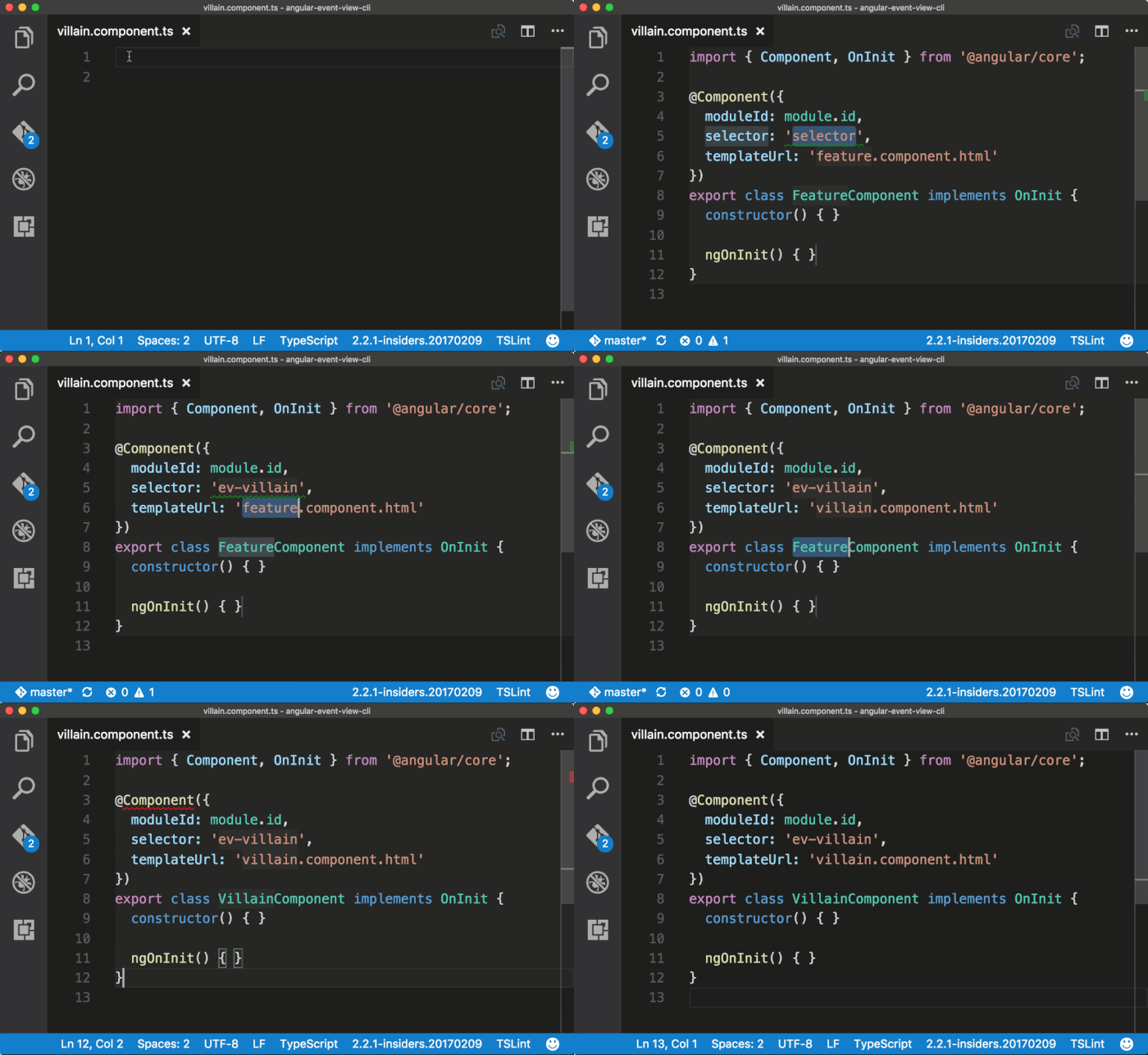
Consider これらのスタイルとガイドラインに従う、Sublime Text 用のスニペット を使用します。